You will be required to change your Sodexo password every 90 days.
Please follow the steps below:
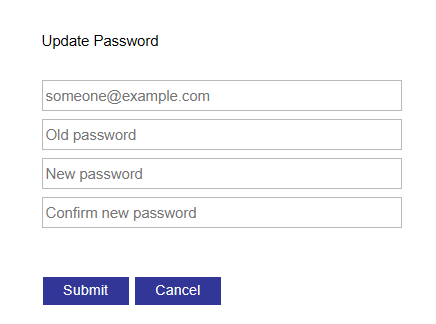
Step 1) Go to this web address (https://gates.sodexonet.com/adfs/portal/updatepassword
Step 2) Enter your Sodexo.com username, old password, new password, and new password confirmation.
* If you are unsure of what your old password is, please contact the Sodexo Live Help Desk!
Step 3) Click “Submit”
Need help? Forgot your Sodexo Password?
Call the Sodexo Live Help Desk at 864-248-2026 or access via Service Desk Portal.